SkyeGate

If they hold the token, they see the content. If they don't, they don't.

Gate WordPress Content by What a Wallet Holds

Show pages, downloads, or articles only to visitors whose wallets (MetaMask, Phantom, Coinbase Wallet) meet your rules. 31 blockchains. One plugin. No blockchain code. No user database. Just connect and verify.

Powered by The Insumer Model™ wallet verification engine.

Your Token Holders Are Already Your Members

No passwords. No signup forms. No member database. The blockchain already knows who qualifies.

NFT Holders

Show exclusive content, early access, or previews to anyone holding your NFT collection. Blockchain-verified.

Token Communities

Gate research, tutorials, or premium articles to wallets holding your project's token. On any of 31 chains.

DAO (Token-Governed Group) Members

Restrict governance docs, strategy proposals, or internal updates to wallets holding the governance token.

Stablecoin Holders

Gate content to wallets holding USDC, USDT, or any stablecoin above a threshold. Proof of capital, not identity.

How It Works

1

Install the Plugin

Upload SkyeGate, activate your license key. No API keys, no blockchain expertise, no WalletConnect setup required.

2

Set Your Rules

Which token? Which chain? What threshold? Wrap content in a shortcode. Combine up to 10 rules.

3

Visitors Connect & Verify

One click connects all detected wallets. Content is delivered from the server only after the wallet passes.

See It In Action

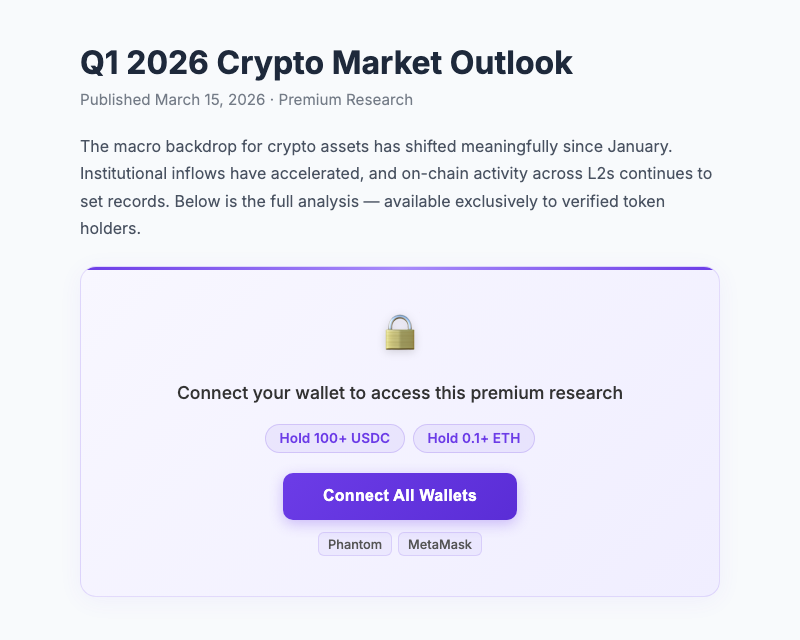
SkyeGate gate prompt with requirement pills and Connect Wallet button

Gate Prompt — Visitors see token requirements and a Connect Wallet button. Content stays on the server until verified.

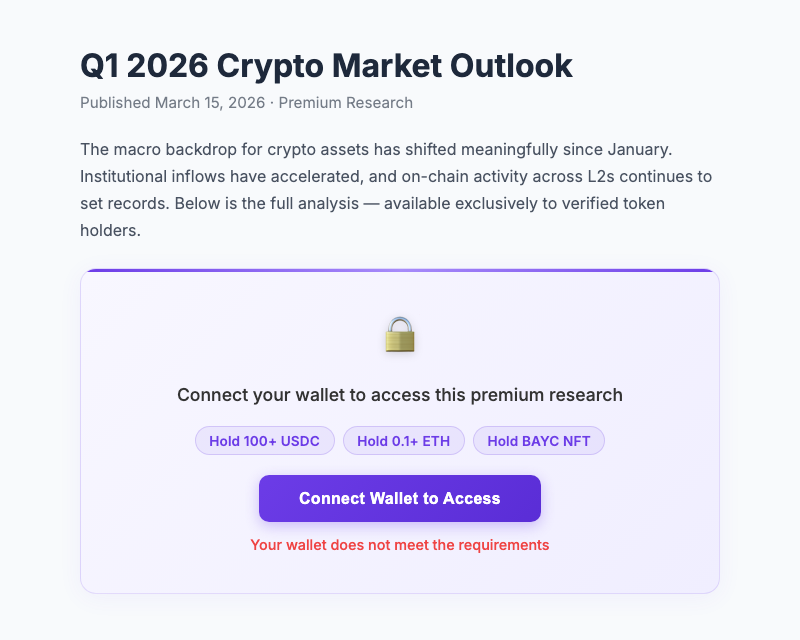
Wallet does not meet the token requirements

Wallet Doesn't Qualify — If the wallet fails verification, a clear message is shown. Content remains locked.

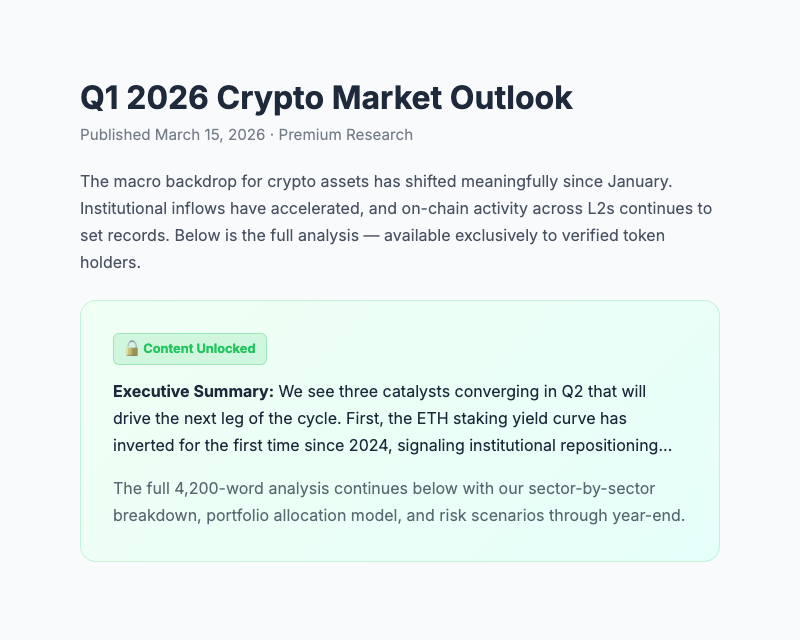
Content unlocked after wallet verification

Content Unlocked — Wallet passes all conditions. The gate disappears and the full content is delivered from the server.

Perfect For

Crypto Newsletters

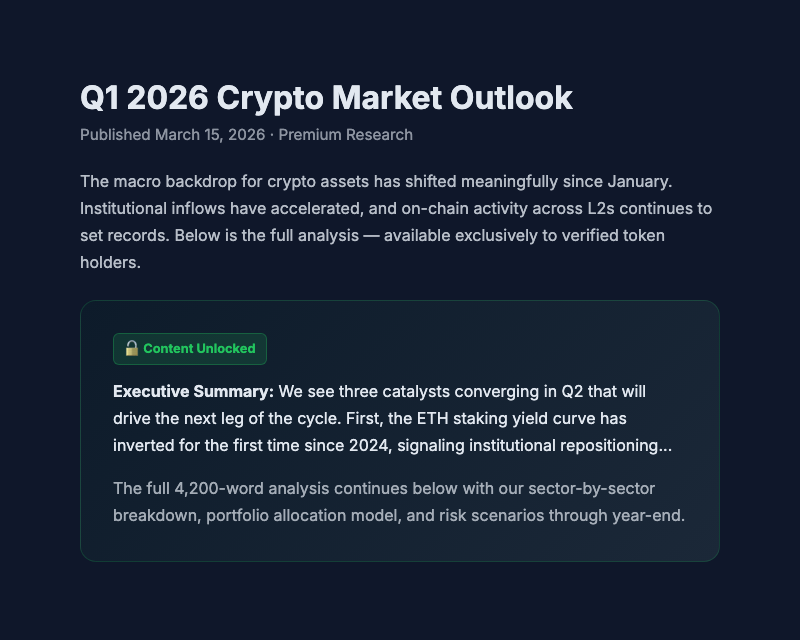
Gate premium research and market analysis to token holders. No email signups, no paywalls — just wallet verification.

NFT Communities

Give NFT holders exclusive content, previews, and announcements on your own site. Discord optional.

DAO Documentation

Restrict governance proposals, strategy docs, and internal updates to governance token holders.

Token-Holder Perks

Reward your community with gated downloads, tutorials, early access, or discount codes — verified by wallet.

Your Token Holders Are Already Members

Traditional membership plugins require accounts, passwords, and subscription billing. SkyeGate replaces all of that with wallet ownership. If they hold the right token, they get access.

No User Database

The blockchain is the membership list. No accounts to manage, no passwords to store, no member tables to maintain.

No Payment Gateway

Membership is determined by token ownership. No subscription billing, no payment processing, no recurring charges to manage.

Transferable Access

NFT holders can trade their membership. When the token moves, the access moves with it — automatically.

Privacy-Preserving

SkyeGate returns pass or fail — never exposes the visitor's actual balance or holdings.

Server-Side Content Protection

Gated content is stored on the server and only delivered after the wallet passes all conditions. Before verification, it is not in the page source, DOM, or network traffic.

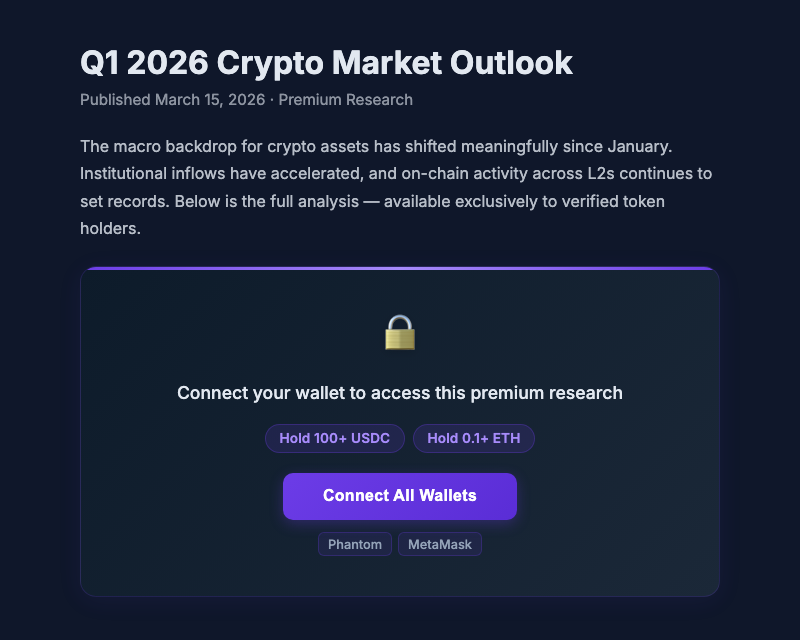
Gate prompt in dark theme

Content Not in Page Source — The gated content is never sent to the browser. DevTools, view-source, and network inspection reveal nothing.

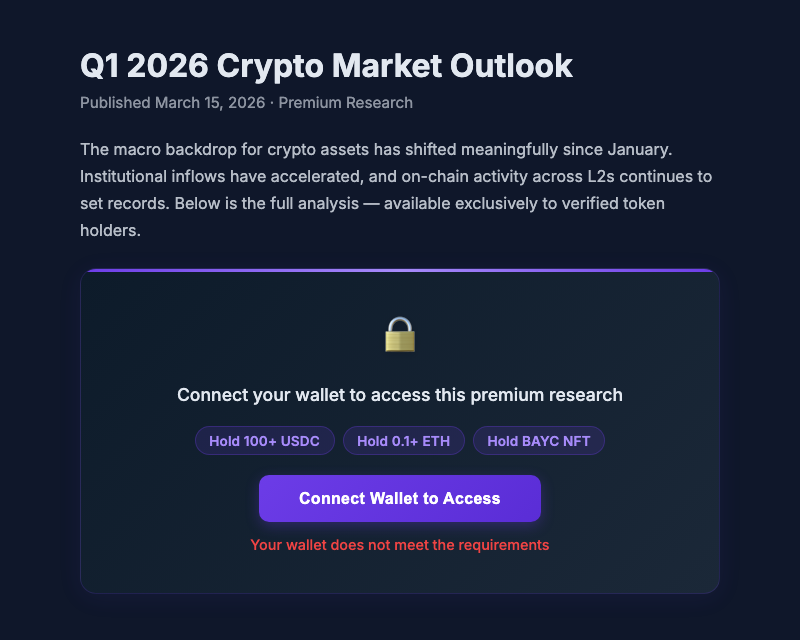
Wallet fails verification in dark theme

Verification Fails Gracefully — Wrong wallet? Clear feedback. The content stays locked on the server regardless of client-side manipulation.

Content unlocked in dark theme

Server Delivers on Pass — Only after cryptographically signed verification passes does the server release the content to the browser.

One Shortcode. That's It.

Wrap your content in [skyegate]. Pick the token, the chain, the threshold. SkyeGate handles the rest — wallet connection, verification, and secure delivery.

  • Up to 10 conditions per gate — token balances, NFTs, trust profiles
  • Multi-wallet: MetaMask, Phantom (Solana), Coinbase — all at once
  • 31 blockchains — 30 EVM + Solana
// USDC holders on Ethereum
[skyegate contract="0xA0b869..."
  chain="ethereum" threshold="100"
  decimals="6"]
  Premium content here.
[/skyegate]

// SOL holders on Solana
[skyegate chain="solana"
  threshold="1" decimals="9"]
  Solana-gated content.
[/skyegate]

// Multi-chain: ETH + SOL
[skyegate contract="native"
  chain="ethereum" threshold="0.1"
  contract_2="native" chain_2="solana"
  threshold_2="1" decimals_2="9"]
  Content for holders of both.
[/skyegate]

Not All Access Control Is Equal

Capability SkyeGate Collab.Land Lit Protocol miniOrange Unlock
Blockchains supported 31 ~10 ~12 1 ~8
Multi-condition gates (up to 10 rules)
Server-side content protection
Multi-wallet simultaneous connection
Signed cryptographic proof
WordPress shortcode (no code)
Privacy-preserving (no balance exposure)
Flat pricing — no per-user fees $49/mo $25–250/mo Free (DIY) $49+/mo Free + fees

Pricing

If your token holders unlock even one premium article, the plugin pays for itself.

Standard

$49/mo

or $350/yr — save 40%

  • Unlimited gate rules
  • All 31 blockchains
  • Up to 10 conditions per gate
  • Server-side content protection
  • Multi-wallet connection
  • Unlimited verified users — no per-member fees

Why SkyeGate?

  • 31 chains — competitors cover 5–10
  • Server-side protection — not just CSS hiding
  • No per-member fees — flat price, unlimited users
  • Multi-wallet — users connect Phantom + MetaMask at once
  • Works with any WordPress theme
  • No code required — just shortcodes
See full comparison

31 Blockchains. One Plugin.

The broadest chain coverage of any condition-based access plugin.

Ethereum Solana Polygon Base Arbitrum Optimism Avalanche BNB Chain Ronin Chiliz zkSync Era Berachain ApeChain Sonic + 17 more

Up and Running in Minutes

1

Subscribe

Choose monthly ($49/mo) or annual ($350/yr) billing. You'll receive your license key and a download link for the plugin ZIP by email.

2

Upload & Activate Plugin

In WordPress, go to Plugins → Add New → Upload Plugin, upload the ZIP, click Install Now, then click Activate Plugin.

3

Activate License

In the left sidebar, go to Settings → SkyeGate. Paste your license key and click Activate. Your key is locked to this domain.

4

Gate Content

In any post or page, wrap content in the [skyegate] shortcode. Set the contract address, chain, and threshold. Content stays on the server until a wallet passes verification.

5

Visitors Connect & Verify

Visitors see a gate prompt with token requirements. They click Connect Wallet, all detected wallets connect, and verification runs automatically. If they pass — the gated content is revealed.

Frequently Asked Questions

I installed the plugin but nothing is happening

You need to activate both the plugin and the license key. After uploading the ZIP, click Activate Plugin on the install confirmation screen. Then go to Settings → SkyeGate in the left sidebar, paste your license key, and click Activate.

I didn't receive my license key

Check your spam folder for an email from noreply@skyemeta.com. If you still can't find it, contact us with your purchase email.

Can I use my license on multiple sites?

Each license is locked to one domain. Deactivate in Settings → SkyeGate to move it. Multiple sites need separate subscriptions.

Which wallets do visitors need?

MetaMask, Coinbase Wallet, or Phantom. All detected wallets connect simultaneously with one click. On mobile, visitors use their wallet app's built-in browser.

Can someone bypass the gate with DevTools?

No. Content is stored server-side and is not delivered to the browser until the wallet passes all conditions.

Can I set multiple conditions on one gate?

Yes. Up to 10 conditions per gate using numbered attributes (contract_2, chain_2, threshold_2, etc.). All must be met to unlock.

How do I cancel my subscription?

Go to skyemeta.com/account, enter your license key, and cancel through the billing portal. You keep access until the end of your billing period.
Related Guides

Same Verification Engine. Different Use Cases.

Ready to gate some content?

Your token holders are already out there. Give them somewhere to go.